Zoho CRM for Real Estate: Features, Benefits & Setup Guide
The real estate industry has become more competitive than ever, where every inquiry, property visit, and client interaction can directly impact revenue. Whether you're an independent realtor, property consultant, builder, or real estate agency, managing hundreds of leads manually through spreadsheets, phone calls, and WhatsApp chats often leads to missed opportunities. Business Raisers helps real estate professionals simplify their sales process with Zoho CRM for Real Estate, a powerful CRM solution designed to automate lead management, improve customer engagement, and accelerate property sales. By centralizing every lead, property, and customer interaction in one platform, Zoho CRM enables businesses to close deals faster while delivering a seamless buying experience.
Why Real Estate Businesses Need a CRM
Buying a property is a long decision-making process. A potential buyer may visit your website, submit an inquiry, request a callback, schedule multiple site visits, negotiate pricing, and finally complete the purchase after several weeks or even months. Managing this journey manually increases the risk of losing valuable leads.
Some of the most common challenges faced by real estate businesses include:
- Missing follow-up calls and appointments
- Managing leads from multiple sources
- Scattered customer information
- Poor communication between sales teams
- Difficulty tracking property availability
- Lack of sales performance visibility
- Time-consuming manual reporting
A CRM eliminates these challenges by keeping every customer interaction organized and ensuring that no sales opportunity is overlooked.
What is Zoho CRM for Real Estate?
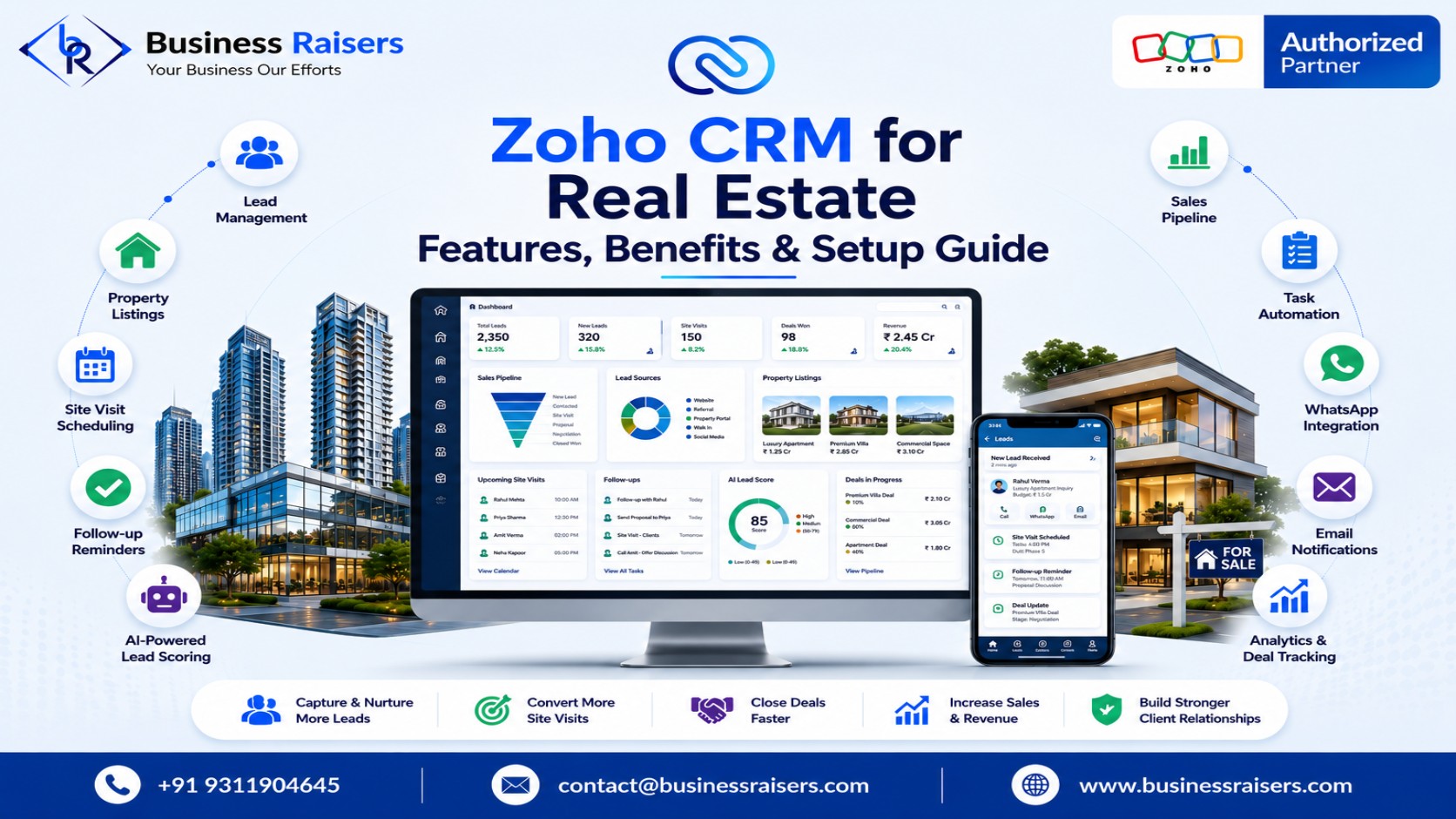
Zoho CRM is a cloud-based customer relationship management platform that can be customized specifically for real estate businesses. It helps realtors, brokers, developers, and property consultants manage leads, organize property information, automate workflows, and monitor sales performance from a single dashboard.
Instead of switching between multiple applications, your team can access customer details, property records, site visit schedules, follow-up history, and sales reports in one centralized system. This not only improves productivity but also creates a better experience for buyers and sellers.
Key Features of Zoho CRM for Real Estate
Smart Lead Management
Every real estate inquiry matters. Zoho CRM automatically captures leads from websites, Google Ads, Facebook, Instagram, WhatsApp, referrals, MagicBricks, Housing.com, and 99acres. Leads are assigned to the right sales representative, ensuring faster response times and improved conversion rates.
Property Management
Managing multiple residential and commercial projects becomes easier with customized property modules. You can store property specifications, pricing, location, amenities, floor plans, availability, and supporting documents in one place, allowing agents to recommend the right property quickly.
Visual Sales Pipeline
Every property transaction follows different stages—from inquiry and qualification to site visits, negotiations, booking, documentation, and registration. Zoho CRM provides a visual pipeline that helps sales teams monitor every deal, identify delays, and prioritize high-value opportunities.
Workflow Automation
Manual tasks reduce productivity. Zoho CRM automates repetitive activities such as lead assignment, appointment reminders, follow-up emails, task creation, and customer notifications. Automation helps sales teams spend more time closing deals instead of managing paperwork.
Mobile CRM
Real estate professionals are constantly on the move. The Zoho CRM mobile app allows agents to access customer details, update deals, schedule meetings, and manage tasks directly from their smartphones, ensuring they stay productive from anywhere.
Reports and Dashboards
Managers can monitor lead sources, conversion rates, sales performance, team productivity, and revenue forecasts using real-time dashboards. These insights help businesses make informed decisions and improve overall sales efficiency.
Benefits of Using Zoho CRM
Implementing Zoho CRM delivers measurable business benefits that go beyond contact management.
| Without CRM | With Zoho CRM |
|---|---|
| Manual lead tracking | Centralized lead management |
| Missed follow-ups | Automated reminders |
| Scattered property data | Organized property database |
| Manual reporting | Real-time analytics |
| Slow customer response | Faster lead engagement |
| Limited visibility | Complete sales pipeline tracking |
Additional benefits include:
- Improved customer satisfaction
- Higher lead conversion rates
- Better collaboration between teams
- Reduced administrative workload
- Accurate sales forecasting
- Faster decision-making
- Scalable business processes
How to Set Up Zoho CRM for Your Real Estate Business
A successful CRM implementation starts with understanding your sales workflow. Begin by identifying how leads enter your business and how they move through each stage of the sales cycle. Create custom modules for properties, buyers, sellers, projects, and site visits. Configure automation rules for lead assignments, follow-up reminders, and appointment scheduling.
Integrate the CRM with your website, email platform, Google Calendar, WhatsApp, and accounting software to eliminate duplicate work. Train your sales team, define user roles, and regularly review reports to optimize performance as your business grows.
Best Practices for Better Results
To maximize your CRM investment, follow these proven practices:
- Respond to new inquiries within minutes.
- Use lead scoring to prioritize serious buyers.
- Record every customer interaction.
- Automate routine follow-ups and reminders.
- Keep property information updated.
- Review sales pipelines every week.
- Track marketing campaign performance regularly.
- Monitor agent productivity using dashboards.
Following these practices helps improve operational efficiency while delivering a superior customer experience.
Why Choose a Zoho CRM Implementation Partner?
Although Zoho CRM is highly flexible, proper implementation is essential for achieving the best results. An experienced implementation partner understands your business processes, customizes workflows, integrates third-party applications, and provides ongoing support. This ensures your CRM is configured correctly from day one, allowing your team to adopt the system quickly and maximize its value.
Conclusion
Modern real estate businesses require more than spreadsheets and manual follow-ups to remain competitive. Zoho CRM provides an intelligent platform for managing leads, automating sales processes, organizing property information, and building stronger customer relationships. With powerful automation, customizable workflows, mobile accessibility, and real-time reporting, it empowers realtors, brokers, builders, and agencies to improve efficiency and close more deals. Investing in the right CRM today creates a solid foundation for sustainable business growth and long-term success.
Contact Business Raisers to streamline lead management, automate sales, and grow your real estate business with expert Zoho consulting, implementation, customization, integration, and support.
FAQs
1. What is Zoho CRM for Real Estate?
Zoho CRM is a customizable CRM solution that helps real estate businesses manage leads, properties, customer interactions, and sales workflows efficiently.
2. Can Zoho CRM manage property listings?
Yes. It allows you to organize property details, pricing, documents, images, availability, and customer preferences in one centralized platform.
3. Is Zoho CRM suitable for small real estate agencies?
Yes. Zoho CRM is scalable and can be customized for individual realtors, small agencies, builders, and large property developers.
4. Can Zoho CRM automate follow-ups?
Yes. It automates reminders, emails, task assignments, appointment scheduling, and customer communication to improve productivity.
5. Does Zoho CRM integrate with other applications?
Yes. Zoho CRM integrates with Gmail, Outlook, WhatsApp, Google Calendar, Zoho Books, Zoho Sign, and many third-party business applications.